Help
Where to find your MT5 server name
For MyFXJournal MT5 sync, enter the exact server from MetaTrader 5—not only your broker’s company name. Server names are case-sensitive; copy and paste from MT5 so capitalization matches exactly.
The server often looks like BrokerName-Live or BrokerName-Real with a hyphen.
It is not the same as the legal company name shown elsewhere in the app (for example at the end of the desktop title bar).
MetaTrader 5 (desktop)
In the window title bar, MetaTrader usually shows your account number, then your server, then account type and other details. Copy the server segment (the part that looks like a broker server code, often with a hyphen)—not the company name at the end.

MetaTrader 5 (mobile)
Open Settings. Under your profile, the line that shows login – server contains the server name after the hyphen. The broker company name shown above that line is not what you paste into the server field.
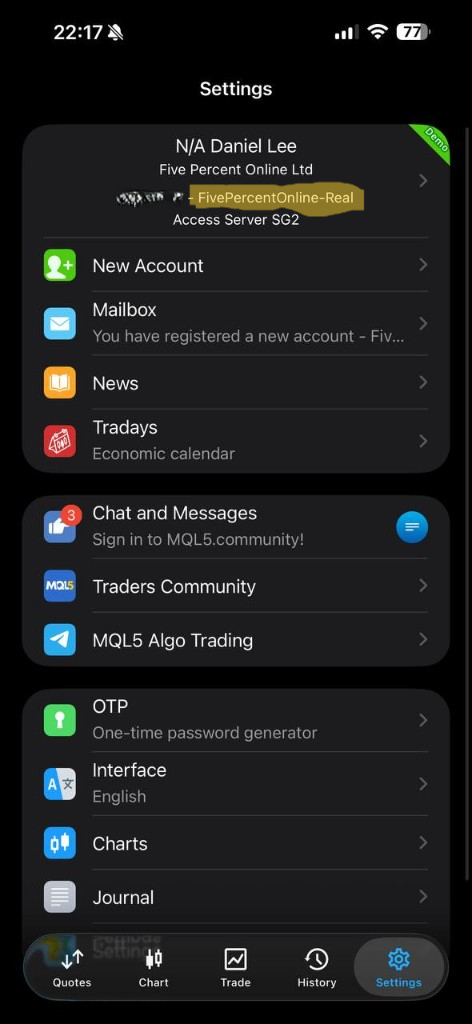
Layouts vary by broker build; always copy the server string exactly as MT5 shows it when you use Login to Trade Account or your account details.